
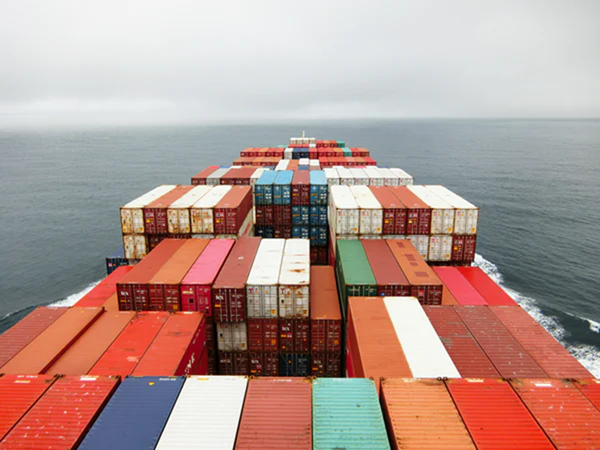
View of a cargo ship on the water
U.S. Foreign-Trade Zones
Encouraging activity and investment in the U.S.

How to use OFIS

How to use OFIS

The Online FTZ Information System (OFIS) contains:

  • Information on each zone, including subzones, sites and grantee contact information.
  • Federal Register notices from 1980 to present for the docketing of applications for FTZ Board action and FTZ Board Orders completing action on cases.

You can find notices by the company name or the zone number.

In addition, applications docketed by the FTZ Board on or after January 1, 2009 are included in the Federal Register notice announcing the application in question. The applications will be attached as .pdf files in the heading above the text of the Federal Register notice.

Courtesy copies of comments on web site: To facilitate parties’ access, we are making available on our web site copies of submissions received during public comment periods (generally under 15 CFR 400.32(b)(2)) addressing statutory or regulatory criteria relevant to the proceeding in question. All such comments received are made part of the record of the proceeding and considered as they relate to any proposed FTZ Board action. Such comments will be attached as .pdf files in the heading above the text of the Federal Register notice.

To find a notice, application or comment submitted on a case:

  1. Click on the OFIS link below
  2. Click on Federal Register Notices in the left menu under Public Information
  3. You can then select the year, the company or the zone to find the notice.

All grantees and operators will need to log in to OFIS to submit your annual report information. The annual report includes information from January 1 through December 31 and is due each year on March 31.

OFIS User Guides for Grantees, Operators and the Public are available below:

Contact FTZ Staff

Link to OFIS
This link will direct you to the Online FTZ Information System (OFIS).
Tips for Preparing FTZ Annual Reports
Tips for Preparing FTZ Annual Reports.

×

Global Business Navigator Chatbot Beta

Welcome to the Global Business Navigator, an artificial intelligence (AI) Chatbot from the International Trade Administration (ITA). This tool, currently in beta version testing, is designed to provide general information on the exporting process and the resources available to assist new and experienced U.S. exporters. The Chatbot, developed using Microsoft’s Azure AI services, is trained on ITA’s export-related content and aims to quickly get users the information they need. The Chatbot is intended to make the benefits of exporting more accessible by understanding non-expert language, idiomatic expressions, and foreign languages.

Limitations

As a beta product, the Chatbot is currently being tested and its responses may occasionally produce inaccurate or incomplete information. The Chatbot is trained to decline out of scope or inappropriate requests. The Chatbot’s knowledge is limited to the public information on the Export Solutions web pages of Trade.gov, which covers a wide range of topics on exporting. While it cannot provide responses specific to a company’s product or a specific foreign market, its reference pages will guide you to other relevant government resources and market research. Always double-check the Chatbot’s responses using the provided references or by visiting the Export Solutions web pages on Trade.gov. Do not use its responses as legal or professional advice. Inaccurate advice from the Chatbot would not be a defense to violating any export rules or regulations.

Privacy

The Chatbot does not collect information about users and does not use the contents of users’ chat history to learn new information. All feedback is anonymous. Please do not enter personally identifiable information (PII), sensitive, or proprietary information into the Chatbot. Your conversations will not be connected to other interactions or accounts with ITA. Conversations with the Chatbot may be reviewed to help ITA improve the tool and address harmful, illegal, or otherwise inappropriate questions.

Translation

The Chatbot supports a wide range of languages. Because the Chatbot is trained in English and responses are translated, you should verify the translation. For example, the Chatbot may have difficulty with acronyms, abbreviations, and nuances in a language other than English.

Privacy Program | Information Quality Guidelines | Accessibility